
 By
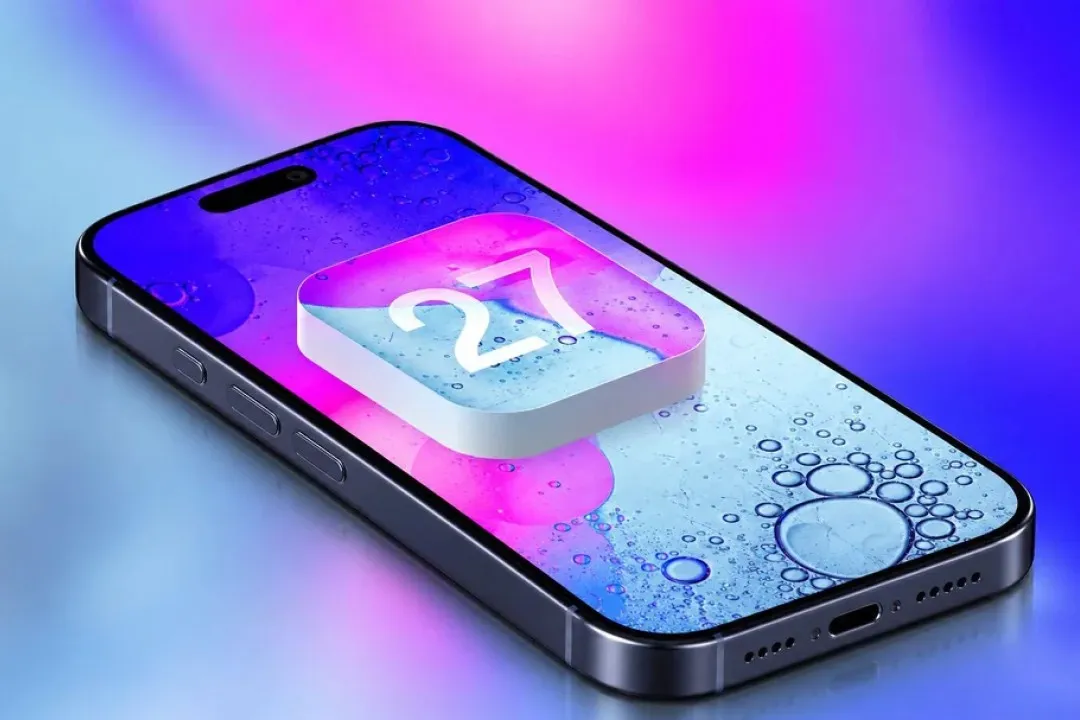
Apple has officially released iOS 27, bringing one of the company’s biggest software updates in recent years. While the new version continues the Liquid Glass design introduced with iOS 26, Apple has put much more attention on artificial intelligence, personalization, photography, automation and everyday iPhone performance.
The iOS 27 Feratures undoubtedly Siri AI, which gives Apple’s voice assistant a much more conversational and capable personality. But Siri isn’t the only reason to install the iOS 27 update.
From smarter camera tools to new customization options and improved Apple Intelligence features, there is plenty to explore.
Here are eight of the biggest iOS 27 features you should know about.
1. Siri AI Gets a Major Upgrade
The headline feature of iOS 27 is the new Siri AI.
Instead of simply responding to basic voice commands, the redesigned Siri is designed to understand more natural conversations and provide more useful answers. It can also use information from across your Apple apps, including messages, emails and photos, to provide more personalized assistance.
For example, you can ask Siri to find information buried inside your messages or photos instead of manually searching through different apps.
Siri AI can also understand what’s happening on your screen and perform certain actions across supported apps.
Apple is initially rolling out Siri AI in beta, with language availability expanding over time. Some of the more advanced Apple Intelligence features also require newer iPhone models.
Why it matters: Siri is finally moving closer to the type of conversational AI experience people have come to expect from modern AI assistants.
2. Visual Intelligence Becomes More Useful
Apple is expanding Visual Intelligence in iOS 27, making the iPhone camera more useful for understanding the world around you.
The feature can analyze what you’re looking at and provide useful information. Apple highlights examples such as identifying information from images, analyzing food and calculating expenses from receipts.
That means your iPhone isn’t simply taking a picture. It can increasingly understand what is inside that picture and help you do something with the information.
For everyday users, this could be particularly useful when shopping, travelling, studying or dealing with documents.
Apple has integrated Visual Intelligence more deeply into the iPhone experience as part of its broader Apple Intelligence strategy.
3. More Control Over the Liquid Glass Design
If you weren’t completely comfortable with the transparency of Apple’s Liquid Glass interface, iOS 27 gives you more control.
Apple has added an opacity slider that allows users to adjust how transparent the interface looks. This can make menus and other interface elements easier to see, particularly when the background contains a lot of visual information.
Apple has also made additional changes to app icons and the overall interface.
This is a relatively small feature compared with Siri AI, but it addresses something many iPhone users care about: being able to make their phone look and feel more personal.
4. Smarter AI-Powered Photo Editing
Photography gets another dose of Apple Intelligence in iOS 27.
Apple has introduced new intelligent editing capabilities that allow users to make changes that would previously have required a dedicated photo-editing application.
Among the new tools are Spatial Reframing and Extend, which can help change the composition of an image or expand an image beyond its original frame.
Apple has also improved the Clean Up feature, allowing users to remove unwanted objects and distractions from photographs more effectively.
For casual photographers, this means more powerful editing tools are available directly inside the Photos experience rather than requiring another app.
5. Shortcuts Can Understand Natural Language
The Shortcuts app is becoming considerably more approachable in iOS 27.
[15/09/2026 2:19 am] Oluwagbemiga Ololade: Apple has expanded Apple Intelligence integration so users can create automations using more natural language.
Instead of having to understand exactly how individual actions and automation steps work, you can describe what you want to accomplish and let the system help create the workflow.
This could make Shortcuts much more useful to people who previously avoided the feature because it seemed complicated.
Power users can still build detailed automations manually, but beginners now have an easier way to get started.
6. New Lock Screen and Widget Customization
Apple has added additional customization options to the iPhone Lock Screen.
One of the noticeable changes is the ability to adjust the appearance and size of the Lock Screen clock. iOS 27 also introduces support for extra-large widgets, giving users more ways to display information without opening individual apps.
These changes may seem simple, but they make the iPhone feel more customizable.
Apple has also continued refining the Liquid Glass design across the Lock Screen and other parts of iOS.
7. Separate Volume Controls Make the iPhone More Flexible
Another practical improvement in iOS 27 is better control over different types of system sounds.
Users can now adjust sounds such as ringtones, alarms, timers and alerts more independently instead of having every sound tied so closely together.
This is the type of feature that may not generate as much excitement as Siri AI, but it can make a noticeable difference in daily use.
For example, someone might want a loud alarm while keeping notification sounds relatively quiet.
It’s a small change, but one that gives users more control over how their iPhone behaves.
8. Faster Performance and Everyday Improvements
Not every important iOS 27 feature is something you can see immediately.
Apple has also made a number of performance and system-level improvements designed to make supported iPhones feel faster and more responsive.
According to Apple’s release information and coverage of the update, users can expect improvements involving areas such as app launching, photo loading, AirDrop and network switching.
The good news is that these improvements aren’t limited entirely to Apple’s newest iPhones. iOS 27 supports iPhone 11 and newer, although some Apple Intelligence features require newer hardware.
Which iPhones Support iOS 27?
Apple’s iOS 27 update is available for iPhone 11 and newer models.
However, there is an important distinction between receiving iOS 27 and receiving every new feature.
Many of the most advanced Apple Intelligence capabilities require newer iPhone hardware, meaning an older iPhone can run iOS 27 without necessarily getting the complete AI experience.
So, if you have an older iPhone, don’t be surprised if some features are unavailable after updating.
Is iOS 27 Worth Installing?
For most compatible iPhone owners, iOS 27 is a worthwhile update.
The biggest reason is that Apple isn’t simply changing the appearance of iOS. The company is making the iPhone more capable through Apple Intelligence, particularly with Siri AI, Visual Intelligence, photo editing and automation.
The update also contains several smaller quality-of-life improvements that users may appreciate after spending more time with the software.
If you have an iPhone 15 Pro or newer, the upgrade is particularly interesting because you can take advantage of more of Apple’s AI features. Owners of older compatible iPhones can still benefit from the broader system improvements.
Final Thoughts
The iOS 27 update is an important step in Apple’s push toward a more intelligent iPhone.
Siri AI is clearly the star of the show, but features such as Visual Intelligence, AI-powered photo editing, improved Shortcuts, Lock Screen customization and better system controls make the update more than just an AI release.
Apple is also continuing to refine the Liquid Glass interface while improving performance across supported iPhones.
[15/09/2026 2:19 am] Oluwagbemiga Ololade: If you’re wondering whether there is anything new to explore after installing iOS 27, the answer is definitely yes. Some features are subtle, while others — especially Siri AI — could fundamentally change how you interact with your iPhone.
Which iOS 27 feature are you most excited to try? Let us know in the comments.
Frequently Asked Questions
When was iOS 27 released?
Apple released iOS 27 on September 14, 2026. It is available for compatible iPhone models.
What is the biggest new feature in iOS 27?
The biggest new feature is Siri AI, Apple’s redesigned and more capable AI-powered version of Siri. It can understand more natural conversations, use personal context and perform more advanced tasks.
Does iOS 27 support iPhone 11?
Yes. iOS 27 supports the iPhone 11 and newer. However, some Apple Intelligence features require newer iPhone hardware.
Is Siri AI available on every iPhone running iOS 27?
No. The full Siri AI experience requires compatible hardware, with many advanced Apple Intelligence features available on newer iPhones. Availability can also vary by language and region.
What are the main iOS 27 features?
Some of the biggest new iOS 27 features include Siri AI, improved Visual Intelligence, AI-powered photo editing, enhanced Shortcuts, Liquid Glass customization, larger widgets, Lock Screen improvements, separate volume controls and performance enhancements.




Leave a comment